Run a live session
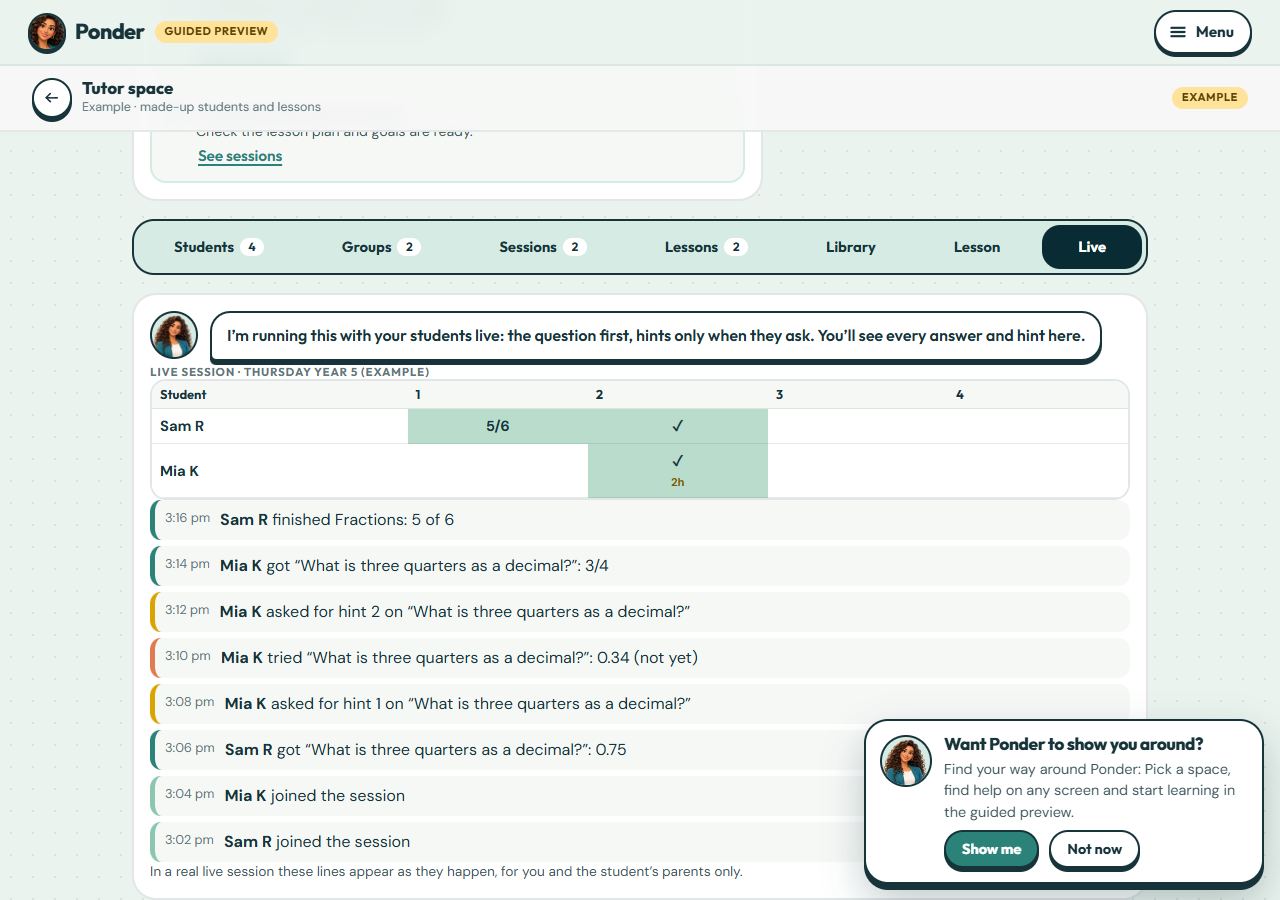
Start a session live and watch each student’s answers and hint use as they happen, then leave notes for parents.
No account needed. This works in the family space of the guided preview. Prizes are saved only on your device.
Step by step
Where: the example tutor space.
Progress by item
One row per student, one column per step: a tick when it’s right, dots while they’re trying, and how many hints they took.
What’s happening
Answers, hints and finished sets appear as they happen. Only you and each student’s own parents can see them.
Start and end
From Sessions, choose Go live. Students see “Join live session” on their learner home. End the session with notes for parents.
 (open the full-size screenshot)