Find your way around the Tutor space
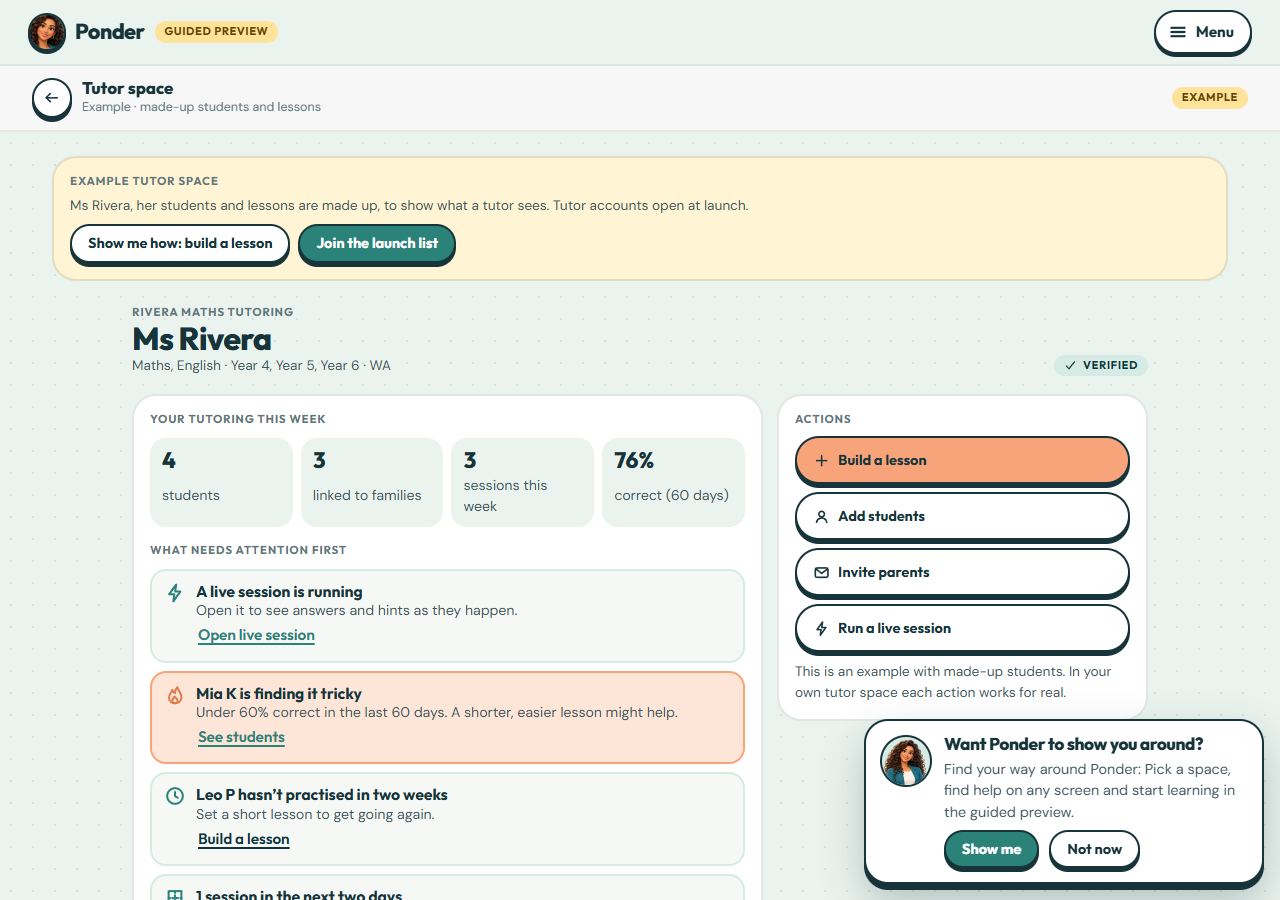
What needs attention first, your students’ progress, groups, sessions and lessons, in one place.
Tutor accounts are free. Students are priced per student at the school prices, with no minimum. Students join only when a parent accepts your invitation.
Step by step
Where: the example tutor space.
Your week at a glance
How many students you have, how many are linked to their families, this week’s sessions and how often answers are right.
What needs attention first
Ponder lists only what it really knows, most urgent first: a live session running, a student finding it tricky or leaning on hints, someone who hasn’t practised, invitations to send.
Actions
Build a lesson, add students, invite parents or run a live session.
The details, in tabs
Students (each one’s lessons done, accuracy, hints, time and streak), Groups, Sessions and Lessons.
Each student
Results appear once a parent accepts your invitation. Until then you see only the name and year level you typed.
 (open the full-size screenshot)