Build a lesson
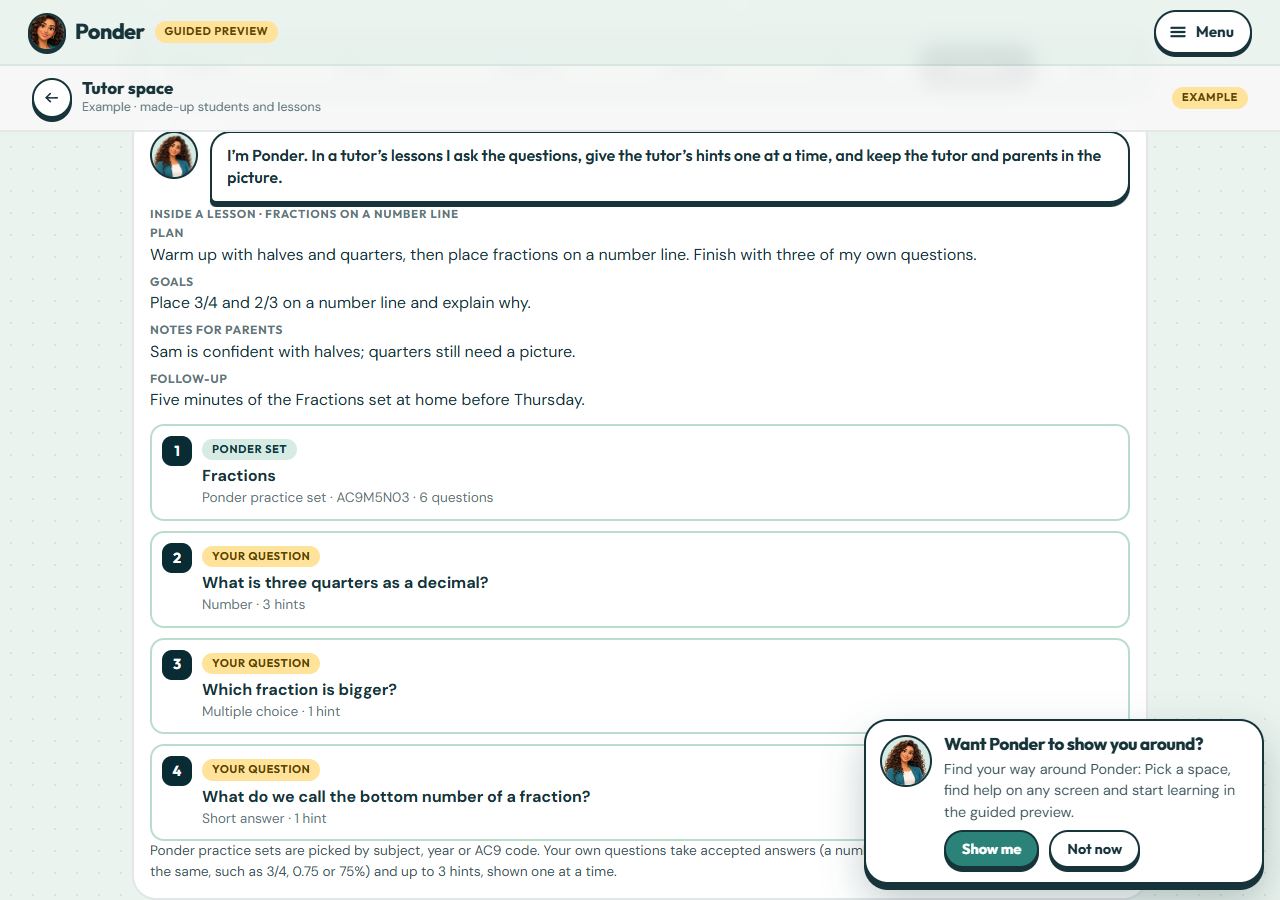
Add Ponder practice sets by subject, year or AC9 code, write your own questions with up to three hints, put them in order, and add the plan, goals and notes parents see.
No account needed. This works in the family space of the guided preview. Prizes are saved only on your device.
Step by step
Where: the example tutor space.
Plan, goals and notes
Every lesson has a plan, goals, notes for parents and a follow-up. Linked parents see them in their family space.
Ponder sets and your own questions
Mix Ponder’s practice sets (search by subject, year or AC9 code) with your own questions. Reorder them with the arrows in the builder.
How answers are marked
Your questions are marked like Ponder’s: capitals and spaces don’t matter, and a number question accepts 3/4, 0.75 or 75%. Hints are shown one at a time, and you see who used them.
Set it
Set the lesson for a student or a group, with a date and time. It appears on their learner home.
 (open the full-size screenshot)