Set a family prize
Tie a real-world reward to Think Points or the weekly Quest.
No account needed. This works in the family space of the guided preview. Prizes are saved only on your device.
Step by step
Where: the family space in the guided preview.
Family prizes
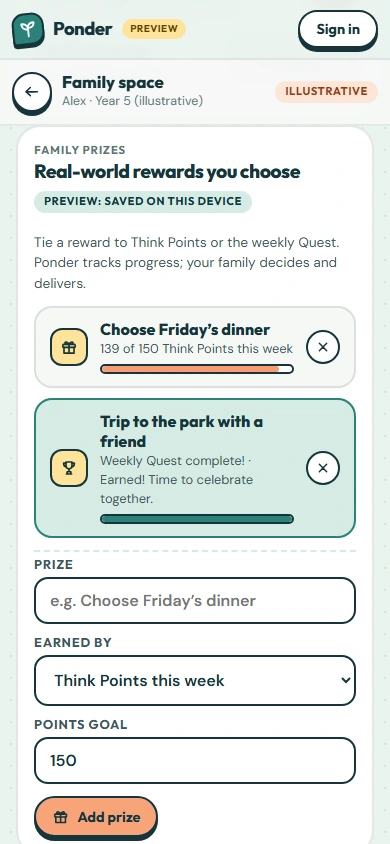
Tie a real-world reward to Think Points or the weekly Quest. Ponder tracks progress; your family decides and delivers.
Name the prize
Type the reward, like choosing Friday’s dinner.
How it’s earned
Choose “Think Points this week” or “Finishing the weekly Quest”.
Set a goal
For a points prize, pick a weekly goal. 150 is a good start.
Add it
Tap “Add prize”.
Watch the progress
Each prize shows this week’s progress. When it’s earned, celebrate together. Remove a prize with the ×.
 (open the full-size screenshot)