Check homework
See the homework and tests your child’s class has been set, with due dates and instructions.
Practice first if you like. In the app, this walkthrough can run in practice mode with a sample family, so nothing is saved to a real account. If you’re not signed in, practice mode is the only mode.
Step by step
Where: your family space.
Your child’s card
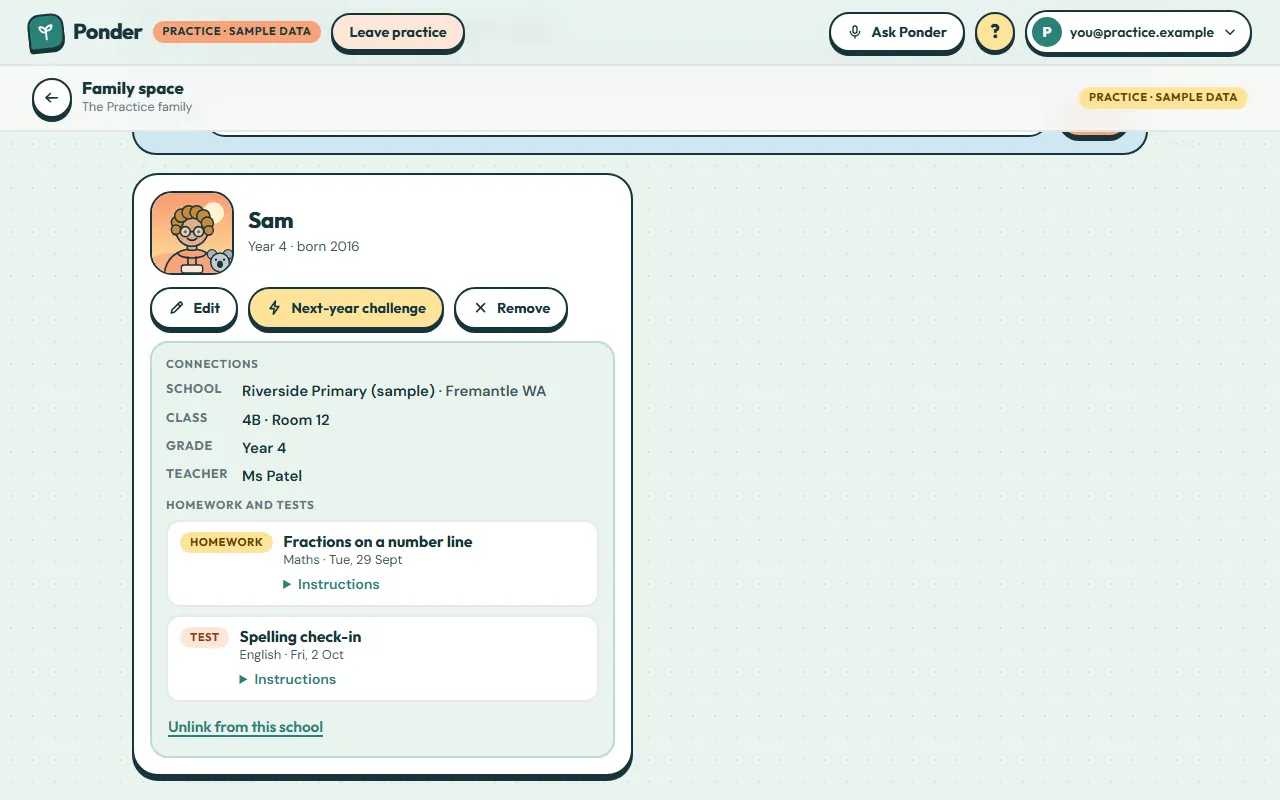
Each child has a card. Once linked to a school, it shows their connections and schoolwork.
School connection
The school, class, grade and teacher names come from the school once you’ve accepted its invitation.
Homework and tests
Work set for the whole class, or just for your child, appears here with its due date. Tests are marked in coral.
Read the instructions
Tap Instructions to see exactly what the teacher asked for.
 (open the full-size screenshot)