Unlock and play Snake
Earn Think Points to unlock the Retro Arcade, then start a time-limited Snake session.
No account needed. This works in the guided preview, with sample data saved only on your device. Signed in, your progress saves to your account. Learners earn +10 Think Points for finishing the walkthrough in the app.
Step by step
Where: your learner home (Ponder Quest), then the Retro Arcade.
Think Points unlock the arcade
Snake unlocks at 150 Think Points. Here’s how many you have so far.
Open the Retro Arcade
Do it with me: tap Retro Arcade.
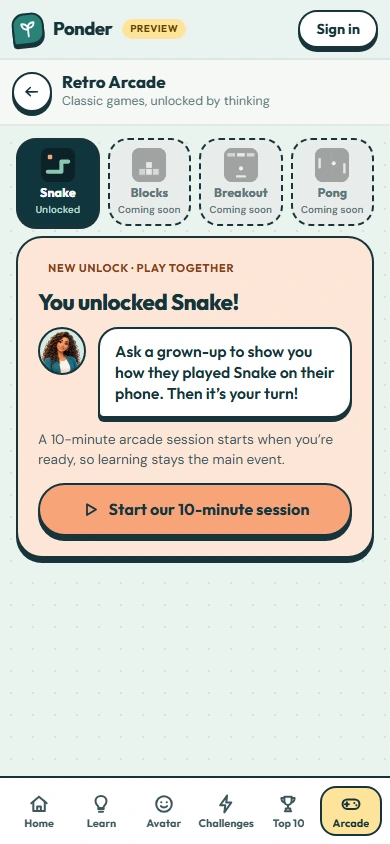
Snake
The Snake tile shows whether it’s unlocked yet, or how many Think Points you still need. Blocks, Breakout and Pong unlock at 250, 350 and 450 Think Points.
How sessions work
Each arcade session is time-limited so learning stays the main event. The first time, ask a grown-up to show you how they played Snake, then start your session together. Earn 50 more Think Points for the next session.
Start a session
Tap to start your arcade session. A grown-up sets how long it lasts.
Steer the snake
Use the arrow keys or W A S D, swipe on the board, or tap the arrows. Space or P pauses. Eat the fruit to grow, and don’t bump into your tail!
 (open the full-size screenshot)