Ask Ponder about a subject
Pick a subject (and a topic if you like), then ask your own question out loud or by typing.
No account needed. This works in the guided preview, with sample data saved only on your device. Signed in, your progress saves to your account. Learners earn +10 Think Points for finishing the walkthrough in the app.
Step by step
Where: your learner home (Ponder Quest), then Ask Ponder.
Ask Ponder
Do it with me: tap “Ask Ponder”.
Pick a subject first
Choose what your question is about, so Ponder helps with the right thing. Try Science.
Narrow it down
Pick a topic if you like, or tap one of the starter questions to ask it.
Talk or type
Ask out loud, or tap Type to write your question. Ponder gives a hint first so you do the thinking. Please don’t share names or personal details.
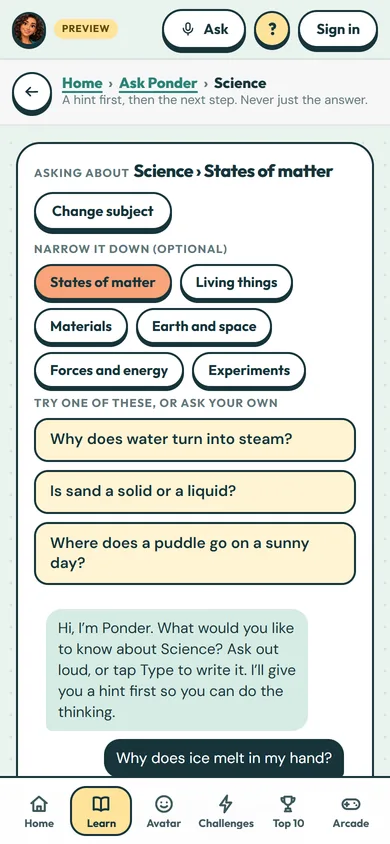 (open the full-size screenshot)