Build your avatar
See how puzzle pieces unlock items, then change your avatar’s look.
No account needed. This works in the guided preview, with sample data saved only on your device. Signed in, your progress saves to your account. Learners earn +10 Think Points for finishing the walkthrough in the app.
Step by step
Where: your learner home (Ponder Quest), then the avatar builder.
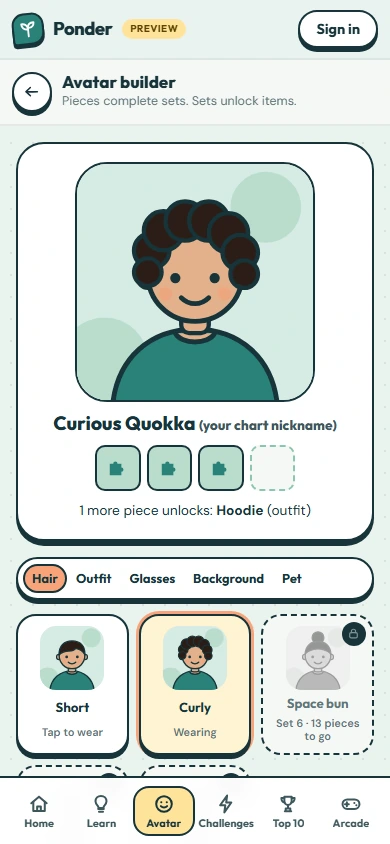
Pieces unlock items
Every finished question or challenge earns puzzle pieces. Four pieces complete a set, and each set unlocks a new avatar item.
Open the builder
Do it with me: tap “Open avatar builder”.
This is you
Your avatar and nickname are what others in your group see. No real photos or names, ever.
Pick a part
Choose what to change: hair, outfit, glasses, background or a pet. Try Outfit.
Try something on
Tap any unlocked item to wear it. Locked items show how many pieces you still need.
Skin tone and hair colour
These are always free. Pick whatever feels like you.
 (open the full-size screenshot)