Set homework or a test
Set homework, a test or practice for your whole class or one student.
Practice first if you like. In the app, this walkthrough can run in practice mode with a sample school, so nothing is saved to a real account. If you’re not signed in, practice mode is the only mode.
Step by step
Where: My classes.
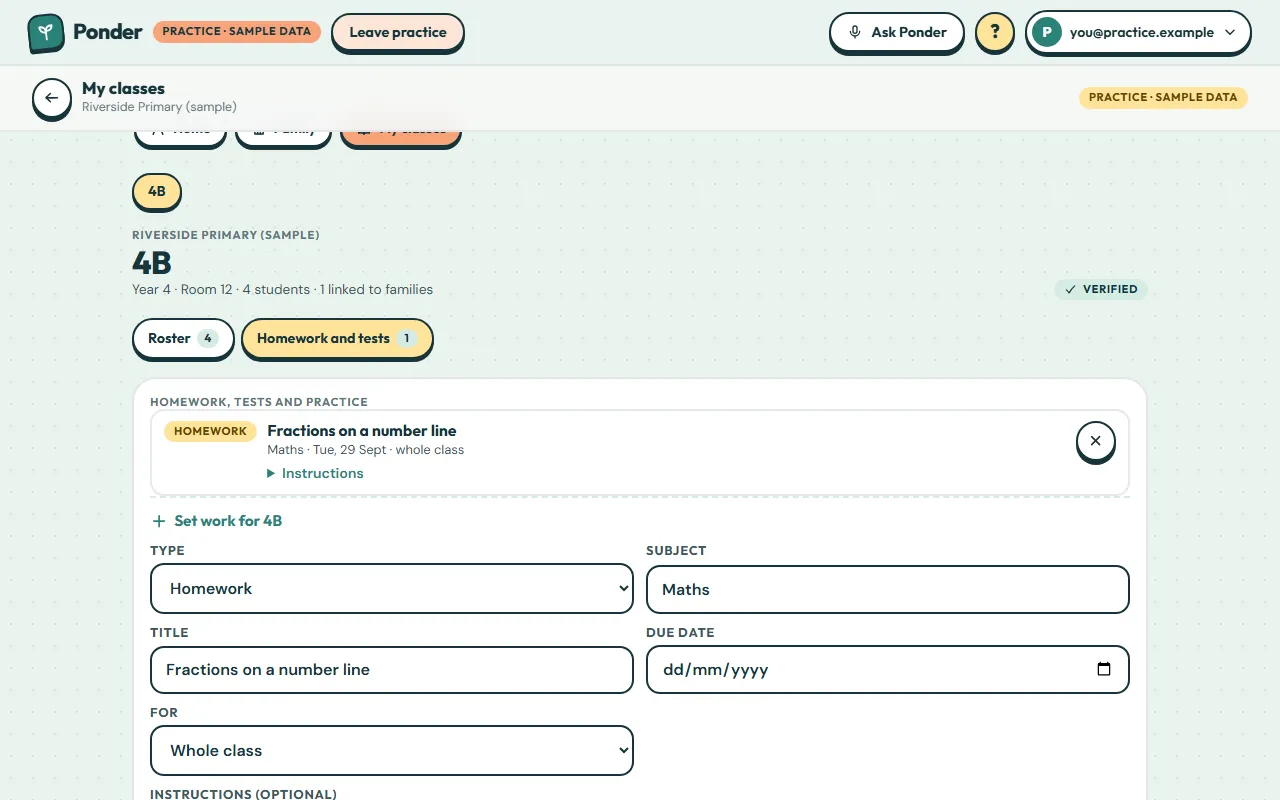
Homework and tests
Open the “Homework and tests” tab.
Type
Choose homework, a test or practice.
Subject
Type or pick a subject.
Title
Give it a short, clear title.
Due date
Pick a due date, or leave it blank.
Whole class or one student
Set it for everyone, or narrow it to one student. Linked parents see both.
Set work
Tap “Set work”.
It’s set
The work appears in your list, and linked families see it in their family space.
 (open the full-size screenshot)