Invite a parent
Create a one-time invitation link so a parent can connect their child to your class.
Practice first if you like. In the app, this walkthrough can run in practice mode with a sample school, so nothing is saved to a real account. If you’re not signed in, practice mode is the only mode.
Step by step
Where: My classes.
Invite a parent
Tap “Invite parent” next to a student.
Parent’s email
Type the parent or carer’s email. They must sign in with this exact address to accept.
Create the link
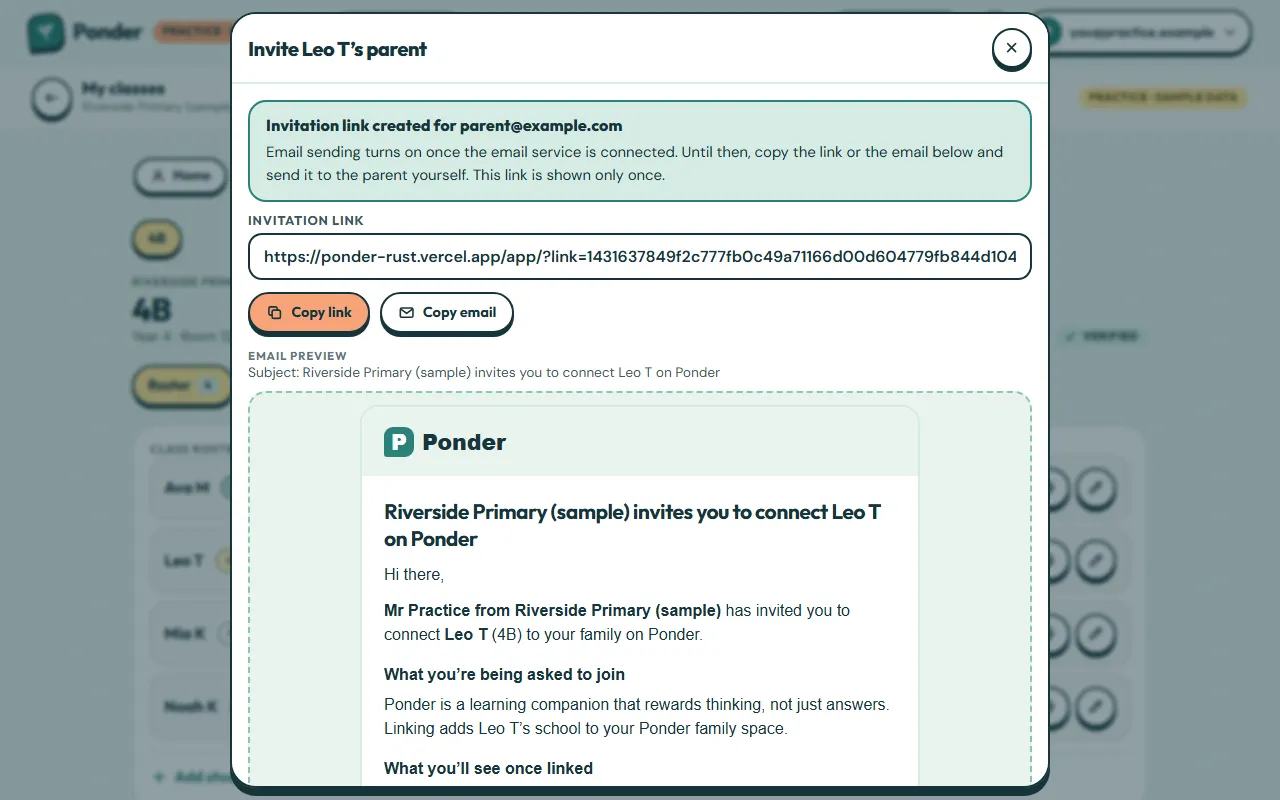
Tap “Create invitation link”. It works once and expires in 21 days.
Your link
Until email sending is switched on, copy this link and send it to the parent yourself. It’s shown only once.
Copy the email
“Copy email” gives you a ready-made message that explains what the parent is joining and what the school can see.
 (open the full-size screenshot)