Invite teachers
Invite teachers and school admins by email and assign their classes.
Practice first if you like. In the app, this walkthrough can run in practice mode with a sample school, so nothing is saved to a real account. If you’re not signed in, practice mode is the only mode.
Step by step
Where: School setup.
Teachers
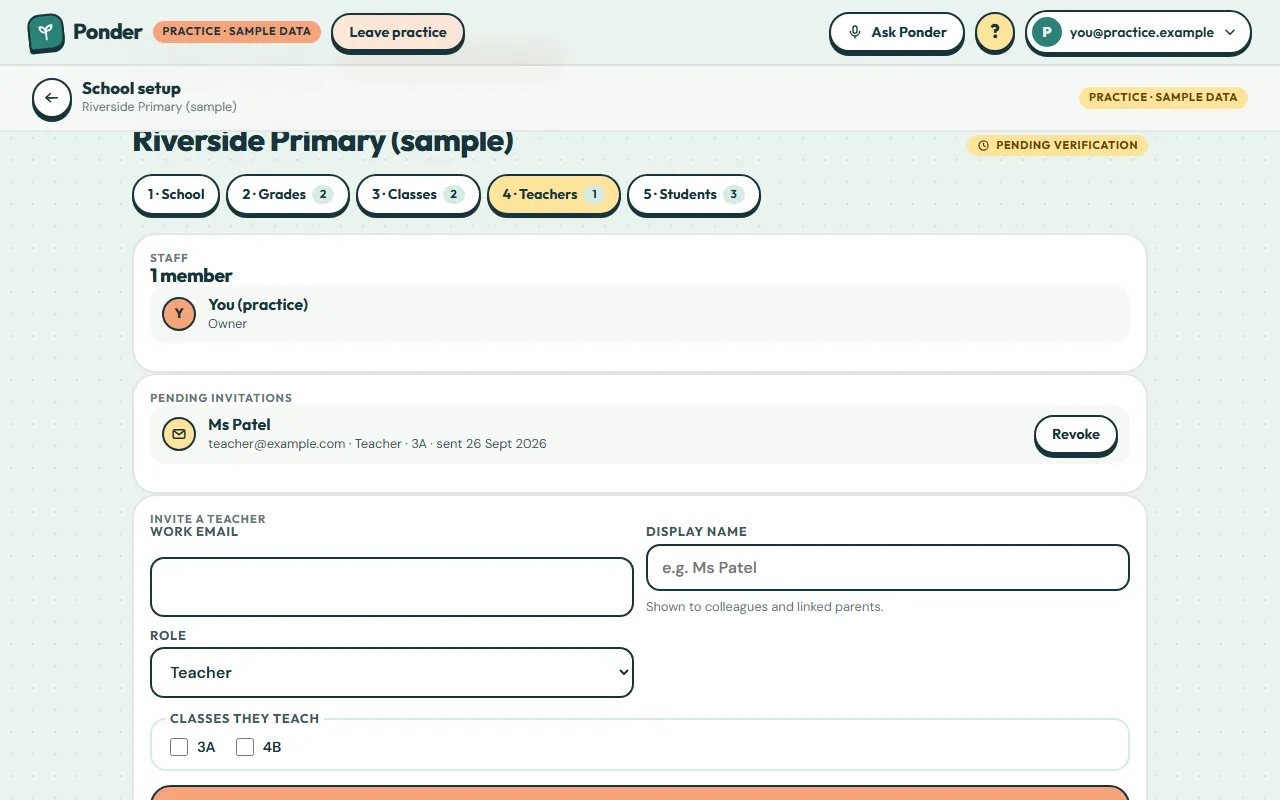
Open the Teachers step.
Work email
Type the teacher’s work email.
Display name
Add the name colleagues and linked parents will see, like “Ms Patel”.
Role
Teachers manage their own classes. School admins can also change the school’s setup.
Their classes
Tick the classes they’ll teach. You can change this later.
Save the invitation
Tap “Save invitation”.
Pending invitations
They join by signing in to Ponder with that email. The invitation is picked up automatically. You can revoke it any time.
Share the app link
Until email sending is switched on, copy the app link and send it to them yourself.
 (open the full-size screenshot)